TalkBuoy
AI-powered assistant for interviews, debates, speeches, revision, podcasts & conversations
How It Works
Interview, Speech Q&A, Podcast, or Conversation - TalkBuoy adapts to the situation.
TalkBuoy uses your microphone to hear what the other person says in real time.
AI-generated responses appear on screen within seconds - read them, adapt them, or use them as inspiration.
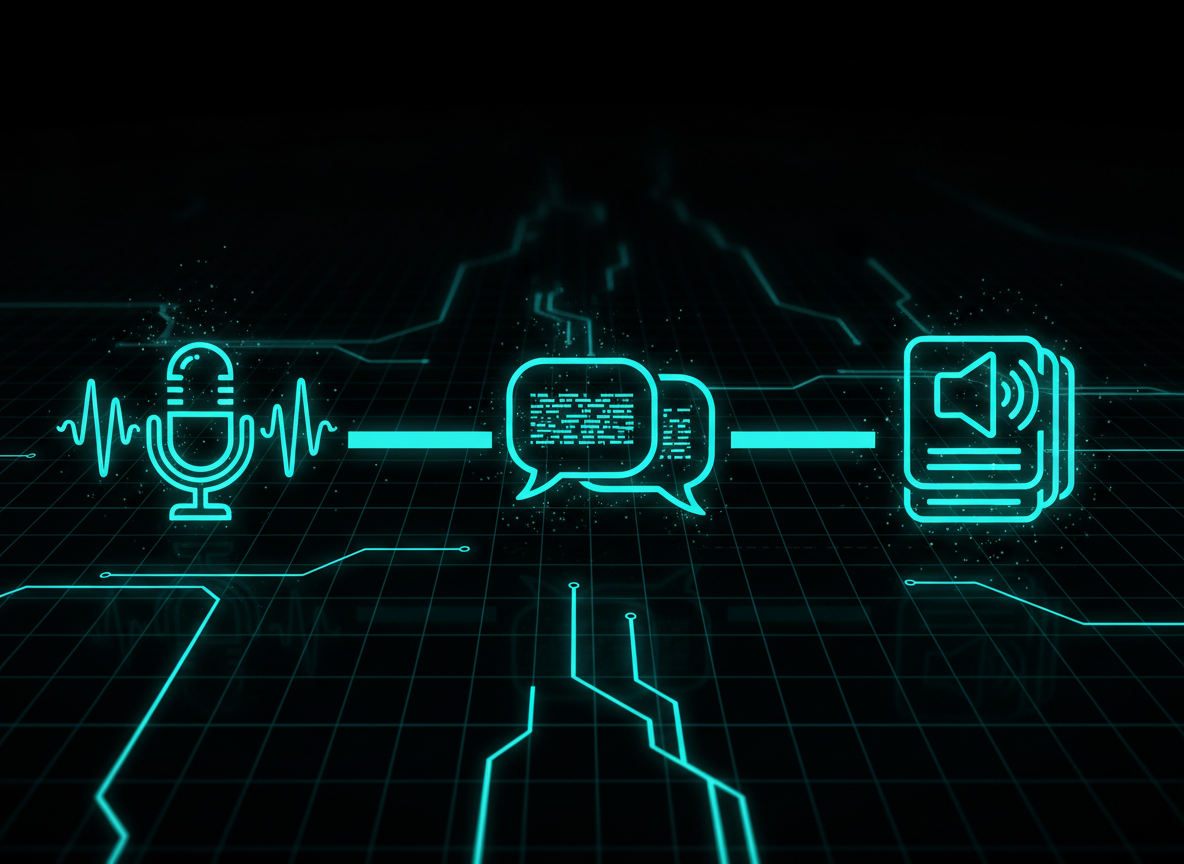
Listen · understand · speak back — live, while the conversation is still happening.
Everything TalkBuoy Can Do
9 Modes for Every Situation
Choose the mode that fits your situation. Each one tailors how TalkBuoy listens and responds.
For job interviews and professional meetings. Upload your CV and add notes about your experience. TalkBuoy listens to the interviewer's questions and suggests 2-3 tailored answers that reference your real skills and background. Use voice calibration so it only responds to the interviewer, not you.
Rehearse a real interview with an AI interviewer. Enter the job role (and optionally upload your CV) and the AI runs a proper interview — opening with "tell me about yourself", asking follow-ups, and giving you short coaching feedback after each answer. Speak your answers out loud, tap when you're done, and it asks the next question. Skip or end the interview anytime.
For audience questions after a talk or presentation. Paste your speaker notes or slides summary. When someone asks a question, TalkBuoy suggests answers based on your material - including a diplomatic option for tricky questions. It can also search the web if a question needs current data.
For podcast appearances, panels, and media interviews. Add your bio and talking points. TalkBuoy suggests conversational, story-driven answers - one with an anecdote, one direct, and one quotable. Keeps you sounding natural and prepared without a script.
For everyday chats, networking events, or any situation where you want backup. No prep needed - just start listening. TalkBuoy suggests casual, natural responses with varied tones: warm, light-hearted, or thoughtful. Great for social situations or when speaking in a second language.
Practise speaking a new language with an AI conversation partner. Pick your target language (including English as a second language — native English speakers and English learners both welcome) and your level, and the AI chats with you out loud as a friendly native speaker, gives gentle feedback in your own language, and teaches phrases on demand — ask "give me 5 useful restaurant phrases" and it teaches them, then immediately role-plays the scenario so you actually use them. Supports 19 target languages.
For studying and exam prep. Paste your notes or study material. Say "quiz me" and TalkBuoy asks you questions from your notes, marks your answers, and explains what you got wrong. Say "read" or "tell me about [topic]" to have it summarise sections. Skip voice calibration in this mode so TalkBuoy hears you and you can talk to it directly - it becomes a hands-free study partner.
For tournament prep, public speaking practice, or stress-testing your own arguments. Pick a topic and your stance. The AI takes the opposite side and argues with you turn by turn — making real counter-arguments, attacking your weak points, and asking probing questions. Tap to start your turn, speak your argument, tap again when done, and the AI will counter-argue. Repeat until you've drilled it.
For real debates, panels, or any heated argument where you need fast comeback ideas. Set the topic and your stance, calibrate your voice so TalkBuoy ignores you, and it'll listen to the opponent. When they make a point, 2-3 tailored rebuttals appear on screen — read silently, or hear them through your earbuds. It will name the fallacy when the opponent commits an obvious one (straw man, false dichotomy, etc.).
Tips for Best Results Tap to view ▾
TalkBuoy hears through your mic. Make sure the other person's voice is audible - turn the speaker volume up and check your phone isn't on silent.
Phone calls lock the microphone - TalkBuoy can't listen on the same phone as your call, even as a PWA. Take the call on your phone (on speaker) and run TalkBuoy on a laptop or tablet nearby. For video calls on a laptop, just open TalkBuoy in another tab.
In face-to-face interviews or meetings, wear earbuds with a mic. The mic picks up everyone in the room while TalkBuoy's suggestions stay private - only you can see and hear them.
Record the 5-second voice sample before starting. This lets TalkBuoy filter out your voice and only respond to the other person.
Position the speaker close to your mic and minimise background noise for the best transcription accuracy.
Build a real rehearsal habit
NEWTalkBuoy isn't just for one-off interviews any more. The home screen is built around a gentle weekly rhythm, real events you're rehearsing for, and a memory that gets to know you. Sign in to use any of these — they're free with your plan.
Sessions per rolling 7 days, with a quiet "best week ever" badge when you beat it. No flame, no streak guilt — just a soft pull-toward rhythm. The tracker reframes around your next real event when you've added one, so the number on screen ties to something that actually matters.
Add a real interview, exam, debate, trip or hard conversation that's coming up. TalkBuoy pings you 3 days, 1 day, and 1 hour beforehand with a one-tap rehearsal pre-loaded with the right mode and your event context. Afterwards it asks how it actually went, and feeds your answer into future rehearsals.
Pre-built 5-7 day rehearsal arcs that fight the "what should I practise today?" paralysis. Eight to choose from: Interview, Pre-Trip Language, Debate, Negotiation, Difficult Conversations, Public Speaking, Conversation Confidence, and Medical School Interview Prep. One focused 5-minute lesson a day — the boot camp ticks itself forward as you go.
Tap a button on the home screen, speak a quick thought ("remember to bring up the cost-benefit framing in Tuesday's interview"), and TalkBuoy transcribes it automatically into your own organised voice-notes dashboard — with search, tags, and pinning. Three free for trial users so you can feel it before deciding — unlimited on Student, Pro, or Plus.
Set up your profile once — role / situation, industry, weak spots, communication style — and TalkBuoy carries that context into every session across every mode. Rehearsals feel like working with someone who actually knows you, not a fresh chatbot every time.
End any session and get a quick debrief: a one-line headline, what went well, what to work on next time, and a flashcard recap quiz pulled from the actual session content. Your progress dashboard rolls all your sessions into a single view over time. Stats are free; the AI debrief is a Pro/Plus perk.
Turn on push notifications (or stick to email) and TalkBuoy will nudge you at the moments that actually matter: when an upcoming event is approaching, when your rehearsal week is about to slip, when you haven't checked in for a while. One tap to enable, one tap to silence.
Pick your rehearsal plan
Every paid plan unlocks the same toolkit. The only choice is how much rehearsal time you need each month for what's coming up.
- ⏱️ 2 minutes of live rehearsal
- 🎤 3 free voice notes (taster)
- 🔈 Free browser text-to-speech
- 🎯 All 8 boot-camp programs
- 🗻 Rehearsal-week tracker + daily prompt
- 🧠 Cross-session AI memory
- ⏱️ 4 hours of live rehearsal each month
- 🎤 Unlimited voice notes (search, tags, pin)
- 🎧 Premium AI voices (Nova, Onyx + 4 more)
- 🧠 Cross-session AI memory
- 📊 AI session debrief + flashcard recap
- 📅 Event reminders + how-did-it-go follow-up
- 🎯 All 8 boot-camp programs
- ⏱️ 8 hours of live rehearsal each month
- 🎤 Unlimited voice notes (search, tags, pin)
- 🎧 Premium AI voices (Nova, Onyx + 4 more)
- 🧠 Cross-session AI memory
- 📊 AI session debrief + flashcard recap
- 📅 Event reminders + how-did-it-go follow-up
- 🎯 All 8 boot-camp programs
- ⏱️ 16 hours of live rehearsal each month
- 🎤 Unlimited voice notes (search, tags, pin)
- 🎧 Premium AI voices (Nova, Onyx + 4 more)
- 🧠 Cross-session AI memory
- 📊 AI session debrief + flashcard recap
- 📅 Event reminders + how-did-it-go follow-up
- 🎯 All 8 boot-camp programs
🔈 Free browser text-to-speech is included on every plan including trial. Premium AI voices are a paid-plan perk.
Run low on rehearsal time? Top up: 1 hr / $4.99 · 3 hrs / $11.99 · 5 hrs / $17.99. Top-up minutes never expire.
Cancel anytime. Billed monthly via Stripe.
Frequently Asked Questions
What is TalkBuoy, and how is it different from a general AI chatbot?
A general AI chatbot waits for you to type. TalkBuoy listens through your microphone while a real conversation is happening — an interview, a debate, a Q&A — and speaks a suggested response back to you, live, with no typing at all. It also has practice modes where the AI plays the other side (an interviewer, a debate opponent, a language partner) so you can rehearse before the real thing.
Is my audio recorded or stored?
No. Audio is streamed for real-time transcription and immediately discarded — never stored, saved, or replayed. Transcripts exist only for the duration of your session.
Can I use TalkBuoy on calls and in person?
Yes. On a video call (Zoom, Teams, Meet), open TalkBuoy in a tab alongside it — your mic picks up what the other person says. In person, wear an earbud mic so suggestions stay private. Phone calls need a second device, since phones lock the mic during a call.
What devices and browsers are supported?
Any modern browser with mic access — Chrome, Edge, Firefox, Safari — on desktop or mobile. You can also install it as an app (PWA) straight from your browser, no app store needed.
What happens when my trial ends, and can I cancel later?
You'll be prompted to pick a plan — your account is kept either way. Once subscribed, cancel anytime from your profile menu; you keep access until the end of the billing period. Everything's handled securely through Stripe.
A chatbot can answer a question. It can't hear the interview happening right now.
TalkBuoy listens live and feeds you the answer — out loud, in real time.

interviews
Sign In
Terms of Service
Last updated: February 2026
By creating an account or using TalkBuoy ("the Service"), you agree to these terms.
1. The Service
TalkBuoy provides real-time AI-generated response suggestions based on audio input from your device microphone. The Service is provided "as is" and is intended as a conversational aid, not a replacement for your own judgement.
2. Accounts
You must provide a valid email address to create an account. You are responsible for keeping your login credentials secure. One account per person; accounts are non-transferable.
3. Acceptable Use
You agree not to use TalkBuoy to: (a) violate any law or regulation; (b) deceive others in a harmful or fraudulent manner; (c) infringe on the rights of others; (d) attempt to reverse-engineer, abuse, or overload the Service.
4. Billing & Cancellation
Paid plans are billed monthly through Stripe. You may cancel at any time; access continues until the end of the billing period. Refunds are not provided for partial months. Prices may change with 30 days' notice.
5. Data & Privacy
Audio is streamed for real-time processing and never stored. See our Privacy Policy below for full details on data handling.
6. Limitation of Liability
TalkBuoy is provided without warranty. We are not liable for any decisions you make based on AI-generated suggestions, or for any indirect, incidental, or consequential damages arising from use of the Service.
7. Termination
We may suspend or terminate accounts that violate these terms. You may delete your account at any time from the profile menu.
8. Changes
We may update these terms. Continued use after changes constitutes acceptance. Material changes will be communicated via email or in-app notice.
Privacy Policy
Last updated: February 2026
Your privacy matters. This policy explains what data TalkBuoy collects, how it's used, and your rights.
1. Data We Collect
Account information: Email address and authentication provider (Google or email/password), stored in Firebase Authentication.
Usage data: Plan type, minutes used, and billing status, stored in Firestore.
Payment data: Handled entirely by Stripe. We store only your Stripe customer ID and subscription ID - never card numbers or bank details.
Uploaded documents: CVs or notes you upload are processed to extract text and then stored only for the duration of your session.
2. Audio Data
Audio from your microphone is streamed to our servers in real time for transcription. Audio is never recorded, stored, or replayed. Transcripts exist only in memory during your active session and are discarded when the session ends.
3. How We Use Your Data
To provide and improve the Service, manage your subscription, and communicate important account updates. We do not sell your data to third parties.
4. Third-Party Services
Firebase (Google): Authentication and database. Stripe: Payment processing. OpenAI: AI language model for generating suggestions. These services have their own privacy policies.
5. Data Retention
Account data is retained while your account is active. When you delete your account, all associated data (Firestore profile, Firebase Auth record) is permanently removed.
6. Your Rights
You can: access your data (visible in your profile), reset your password, export your information by contacting us, and delete your account at any time.
7. Security
We use HTTPS for all data in transit, Firebase security rules for stored data, and Stripe's PCI-compliant infrastructure for payments.
8. Contact
For privacy questions or data requests, contact us at info@toolsonfire.com.